
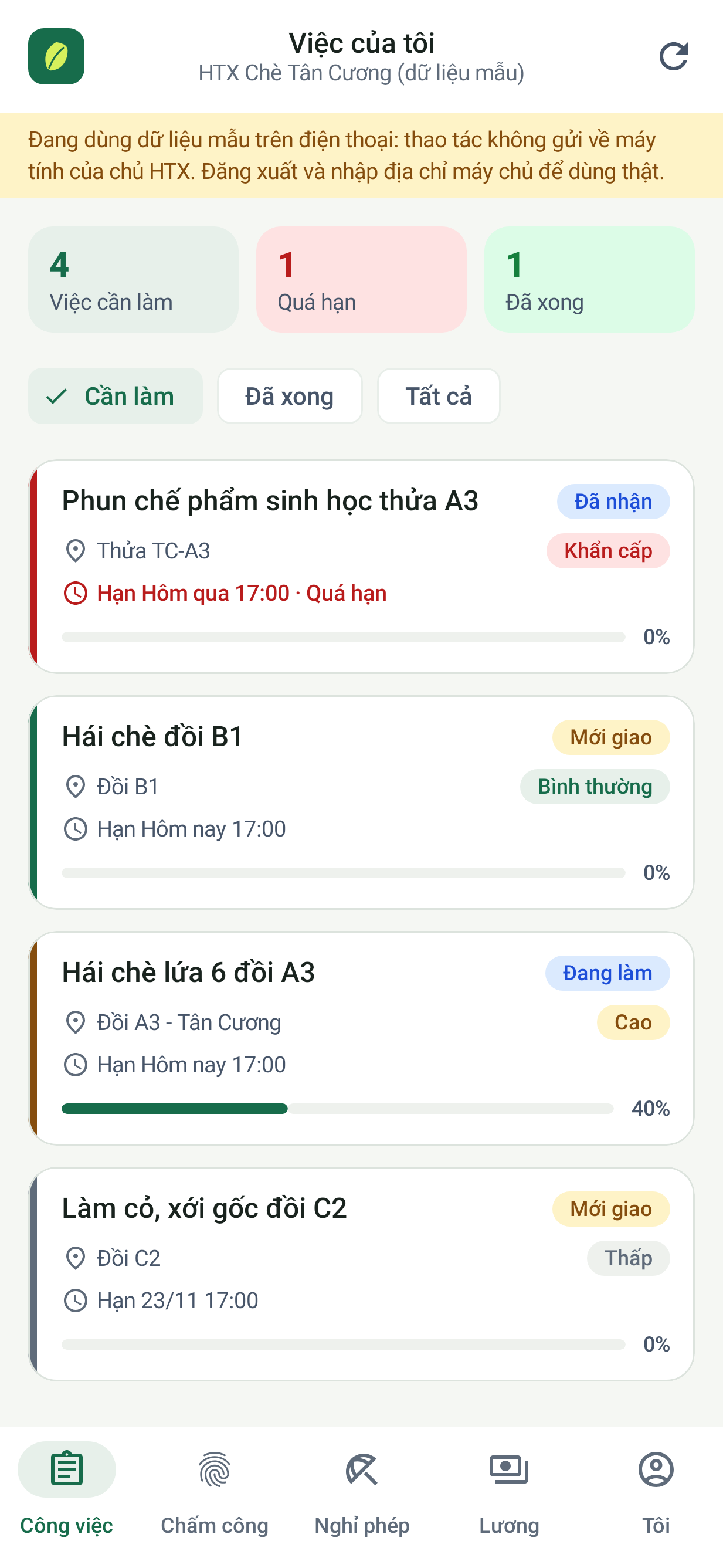
Tea Work is the staff side of a two-app system for agricultural cooperatives (HTX). The owner assigns work and runs payroll in the desktop app Tea Staff Manager; workers in the tea hills use this Android app.
Features#
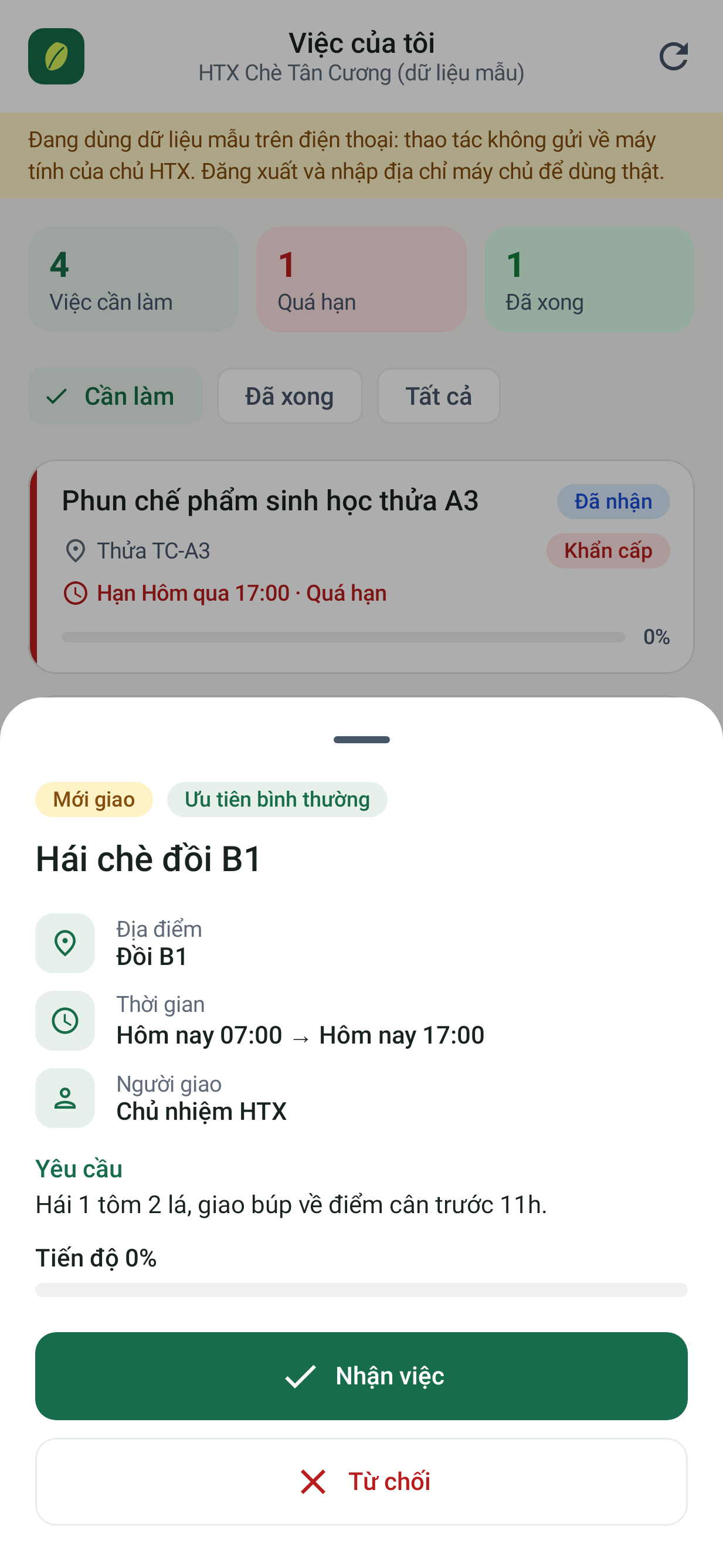
- Tasks — see what was assigned, with location, priority, deadline and requirements; accept or reject (with a reason), start, report progress with a slider and a note, and mark it done. Overdue work is highlighted; pull to refresh.
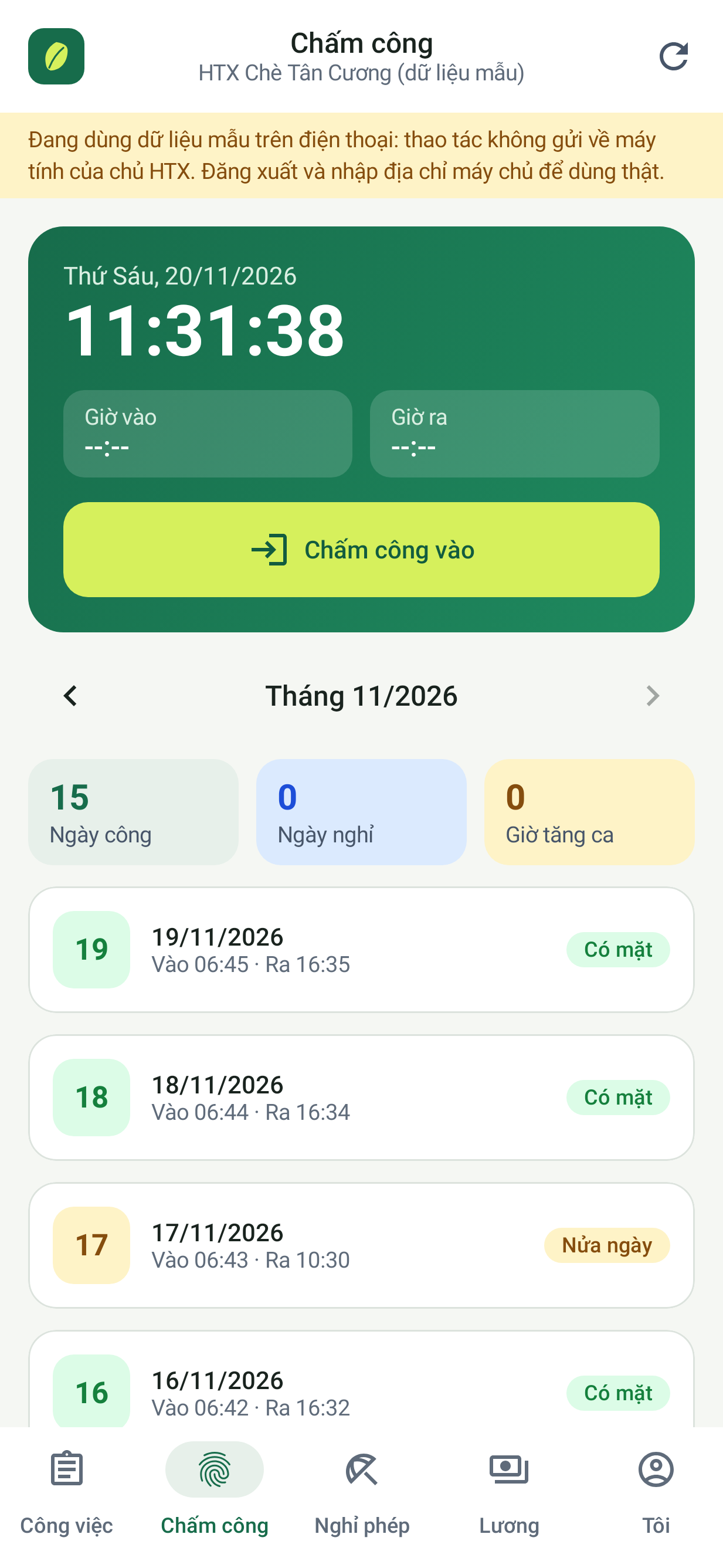
- Attendance — live clock and one-tap check-in / check-out; monthly summary of work days, leave and overtime with a day-by-day history.
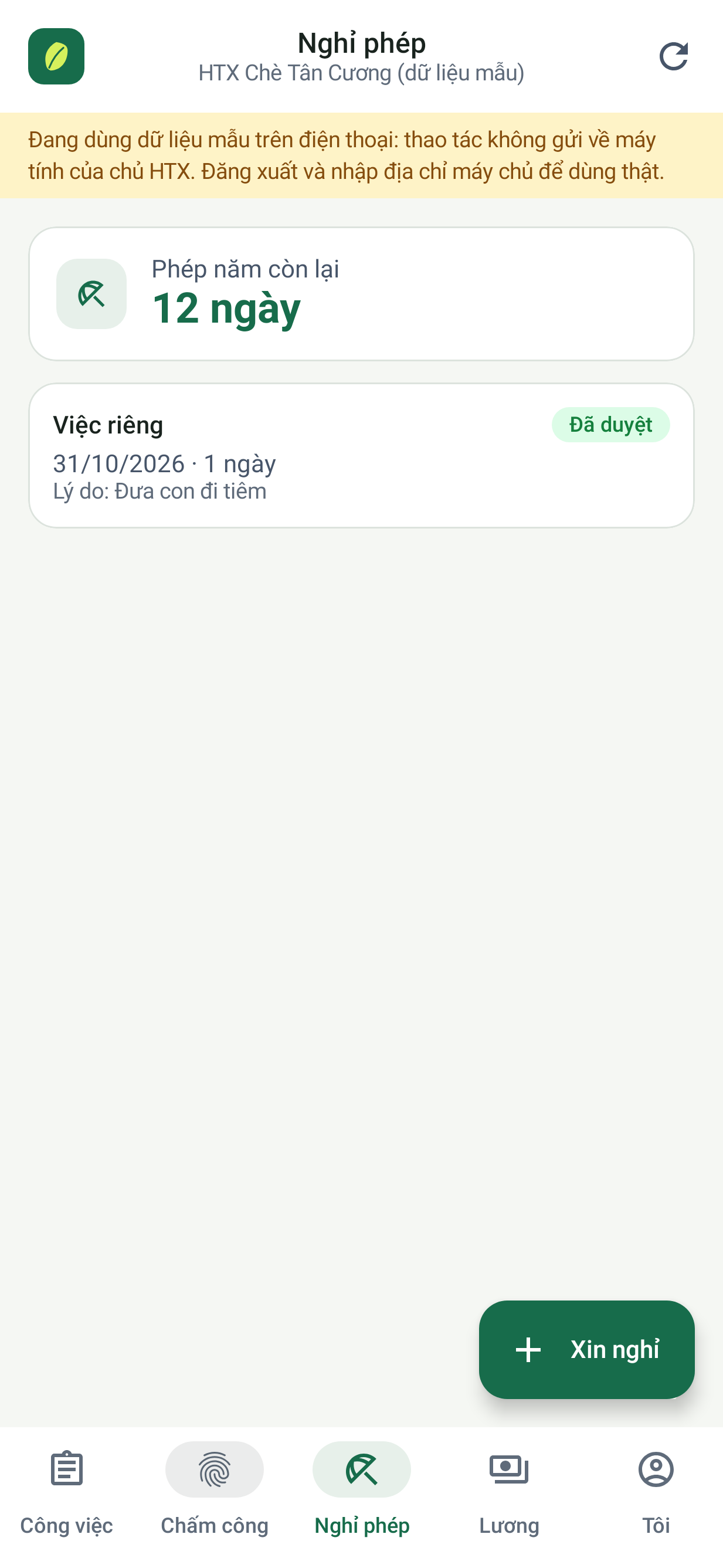
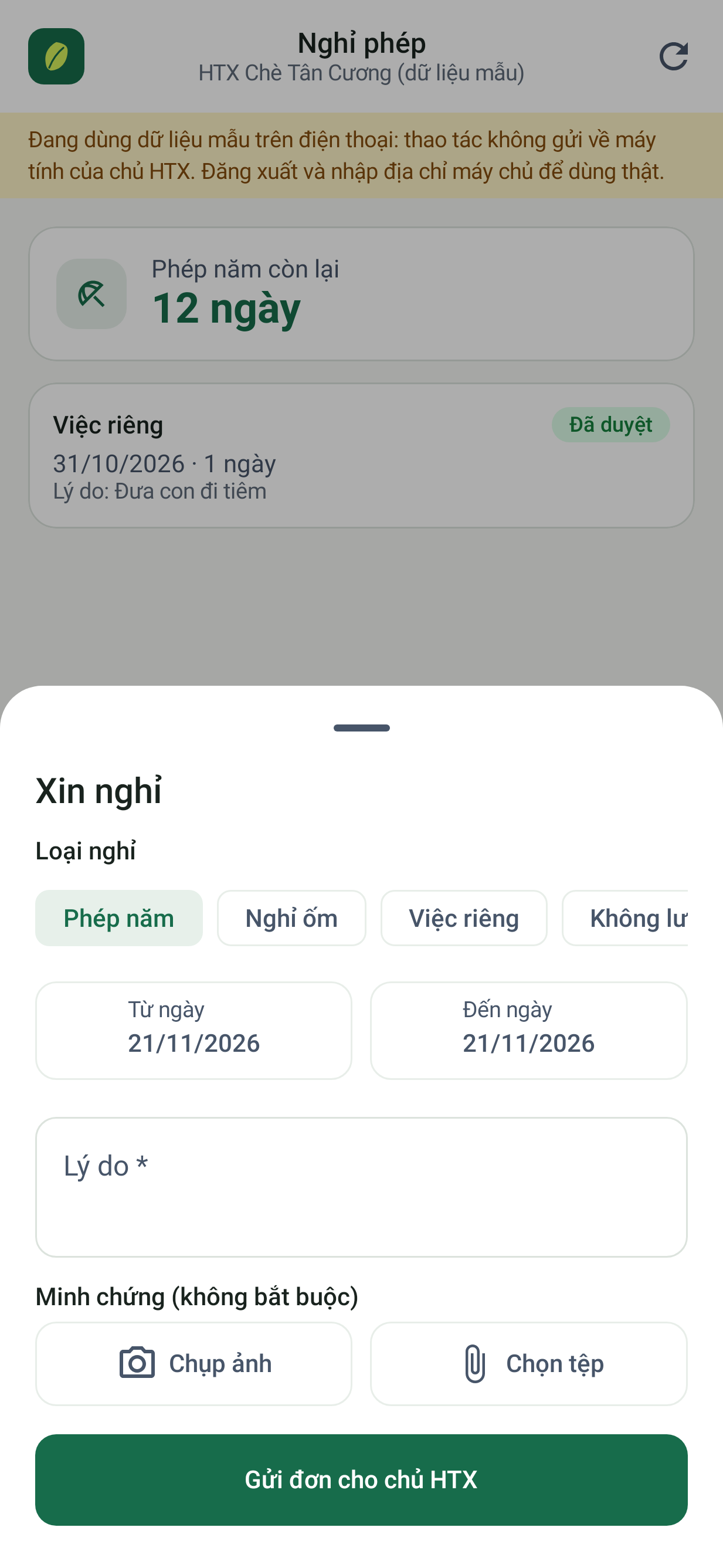
- Leave — remaining annual leave, request annual, sick, personal or unpaid leave with date pickers and evidence (take a photo or attach an image/PDF; required for sick leave of 2 days or more), follow the approval status and cancel pending requests.
- Stays up to date — tasks and leave decisions refresh every 30 seconds with a notice when something new arrives.
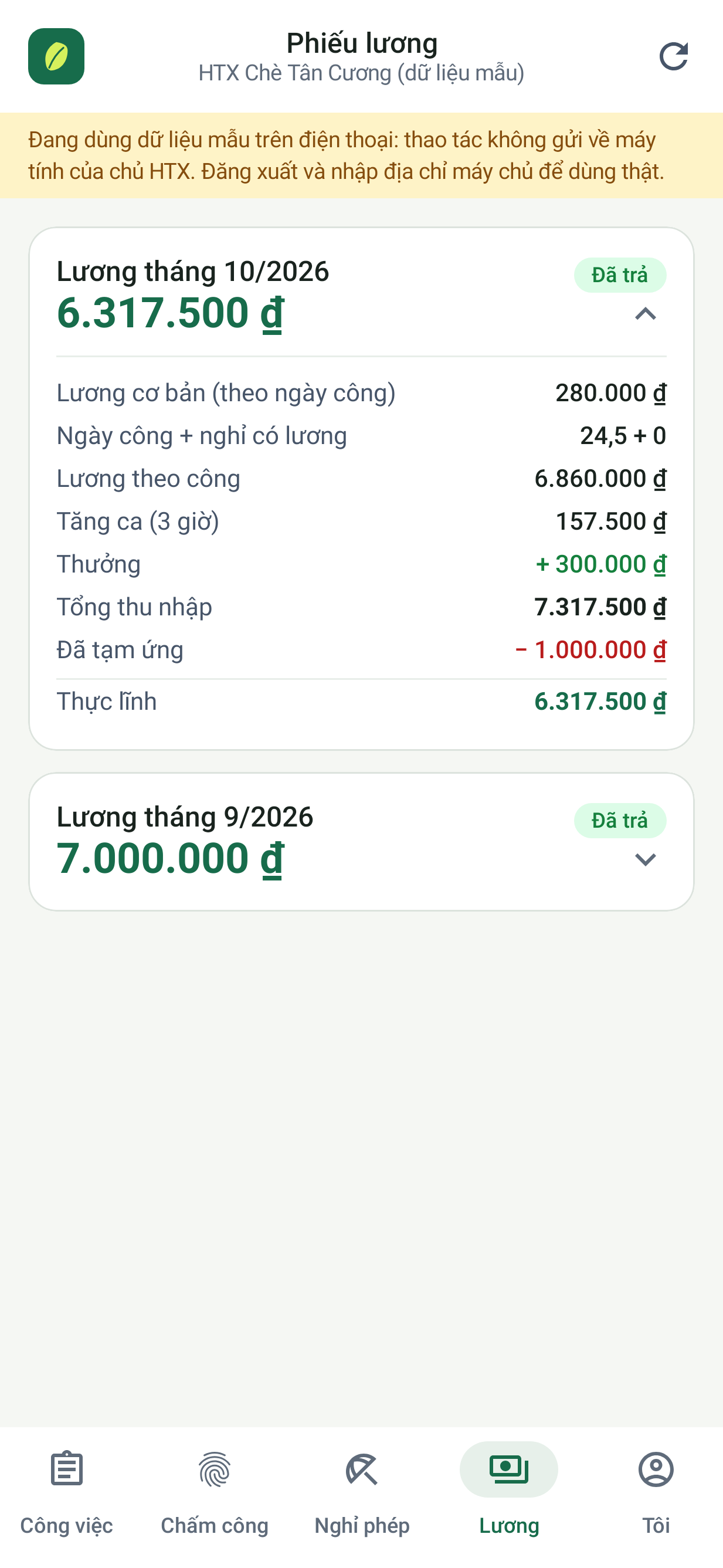
- Payslips — approved and paid payslips with the full breakdown (earned salary, overtime, allowance, bonus, insurance, deductions, advances, net pay).
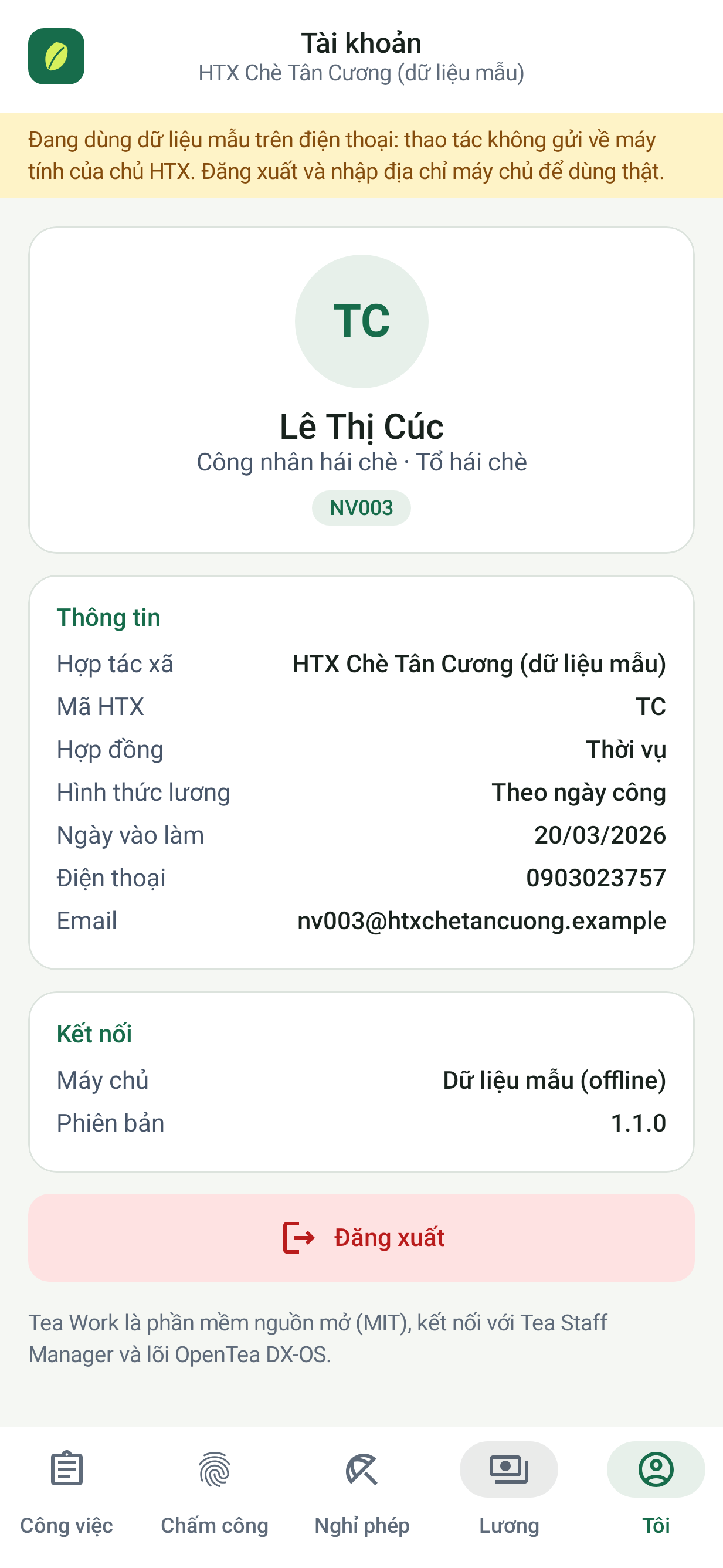
- Profile — personal and contract details, change password, sign out.
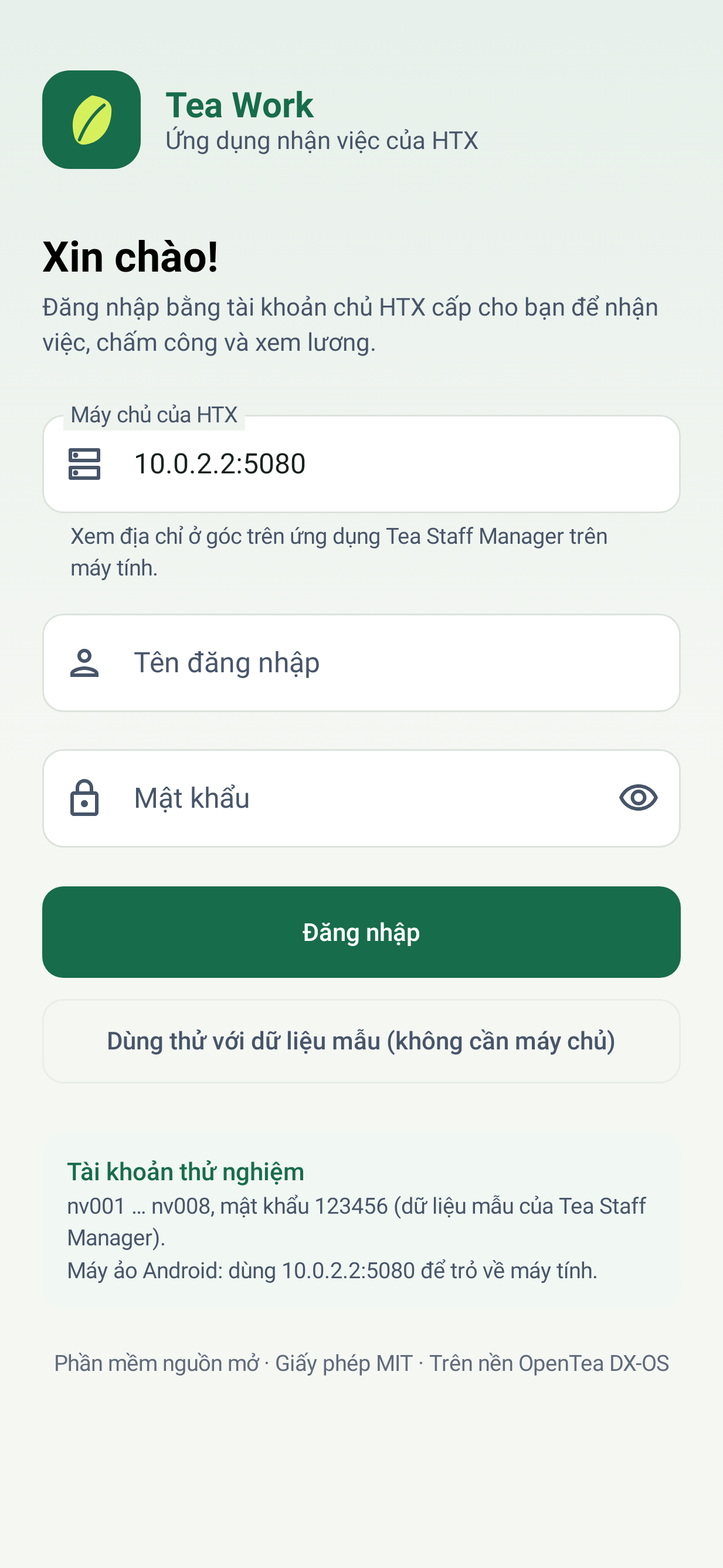
- Offline demo — "Dùng thử với dữ liệu mẫu" runs the whole app on sample data without a server; a yellow banner reminds that nothing is sent to the owner in this mode.
More screenshots
Download#
Get TeaWork-1.1.0.apk from Releases and install it on Android 8.0 or newer (allow installing from this source when asked).
Try it#
| Mode | How |
|---|---|
| Without a server | Tap Dùng thử với dữ liệu mẫu on the login screen. |
| With the owner's PC | Start Tea Staff Manager, keep phone and PC on the same Wi-Fi (if it does not connect, use Settings → Kiểm tra kết nối / Cho phép qua tường lửa on the PC), enter the address shown in the desktop app (e.g. 192.168.1.88:5080) and sign in as nv001 … nv008, password 123456. |
| Android emulator | Use server 10.0.2.2:5080 to reach the PC running Tea Staff Manager. |
Build from source#
Requirements: JDK 17+ (the JBR bundled with Android Studio works), Android SDK with platform 37. Gradle and all libraries are downloaded by the wrapper.
git clone https://github.com/Vudinhdat02/appReceiveWork.git
cd appReceiveWork
./gradlew assembleRelease        # app/build/outputs/apk/release/app-release.apk
./gradlew testDebugUnitTest      # unit + UI walkthrough tests (Robolectric)
Create local.properties with sdk.dir=<path to Android SDK> if ANDROID_HOME is not set. The release build is minified with R8 and, for testing, signed with the debug key; use your own keystore for a store release.
Tests#
| Test | What it checks |
|---|---|
ScreenshotTest |
Drives the real MainActivity in demo mode through login, every tab and a task action, and saves the screenshots in docs/screenshots. |
RemoteApiContractTest |
End-to-end against a running Tea Staff Manager: login, task transitions, check-in, leave submit/cancel, payslips. Run with ./gradlew testDebugUnitTest -Pteawork.server=http://127.0.0.1:5080 (skipped otherwise). |
Architecture#
app/src/main/java/vn/opentea/staffwork/
  data/            Models (kotlinx.serialization), StaffRepository port,
                   RemoteStaffRepository (HTTP), DemoStaffRepository (offline), SessionStore
  ui/              ViewModels (StateFlow), theme, shared components
  ui/screens/      Login, Tasks (+ detail sheet), Attendance, Leaves, Payslips, Profile
  AppContainer.kt  Manual dependency container
  MainActivity.kt  Session switch, bottom navigation, snackbars
- MVVM — screens are stateless composables fed by
StateFlowfrom one view model per feature; actions go back as callbacks. - Repository port — every view model talks to
StaffRepository. The HTTP adapter implements the staff API contract; pointing it at the DX-OS gateway later only changes the base URL and token. - Small footprint — no networking or DI frameworks:
HttpURLConnection, SharedPreferences and a tiny container keep the release APK under 2 MB. - Design — palette and shapes from the core's
DESIGN.md: tea green#176c4b, white cards on a soft leaf-green background, lime accent on the leaf logo. 44 dp+ touch targets for outdoor use.
Integration with OpenTea DX-OS#
The app shares the core's tenant model (each profile carries htx_code), its role vocabulary and its design tokens. Staff accounts can be linked to DX-OS Keycloak users (core_user_id on the owner side) so the same account works across the cooperative's apps; see core-integration.md.
Documentation#
License#
MIT © 2026 Vu Dinh Dat. Every source file carries an SPDX licence header.