
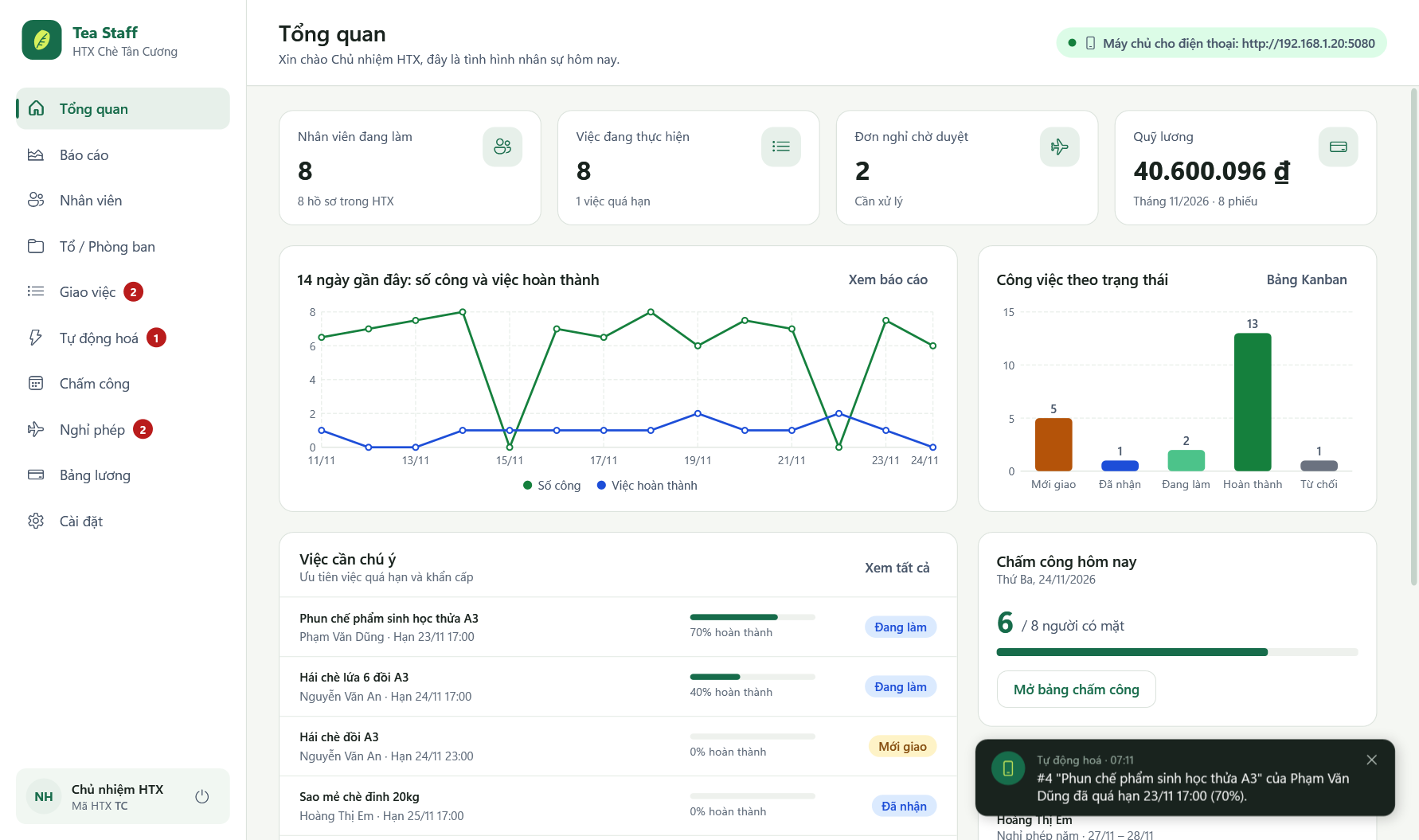
Tea Staff Manager is the owner side of a two-app system for agricultural cooperatives (HTX). The cooperative owner hires staff, assigns field work, tracks attendance, approves leave and runs the monthly payroll on a Windows PC. Workers receive their tasks on Android with the companion app Tea Work.
Both apps follow the conventions of the OpenTea DX-OS core so they can later share its single sign-on account (Keycloak) and its PostgreSQL database instead of running standalone.
Features#
| Module | What it does |
|---|---|
| Dashboard | Active staff, open and overdue tasks, pending leave, payroll fund, today's attendance, progress per team, and charts of task status and the last 14 days (work days, completed tasks). |
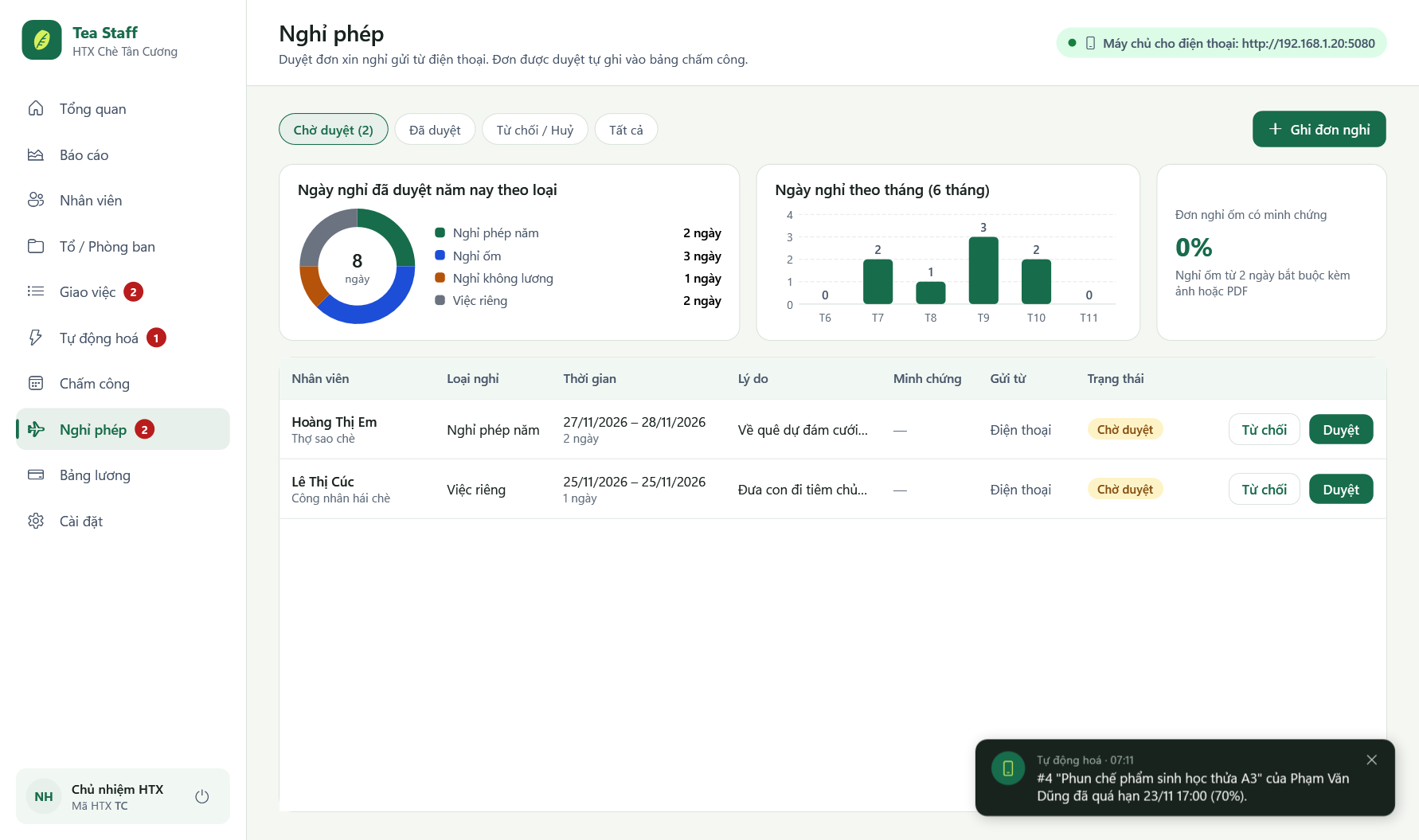
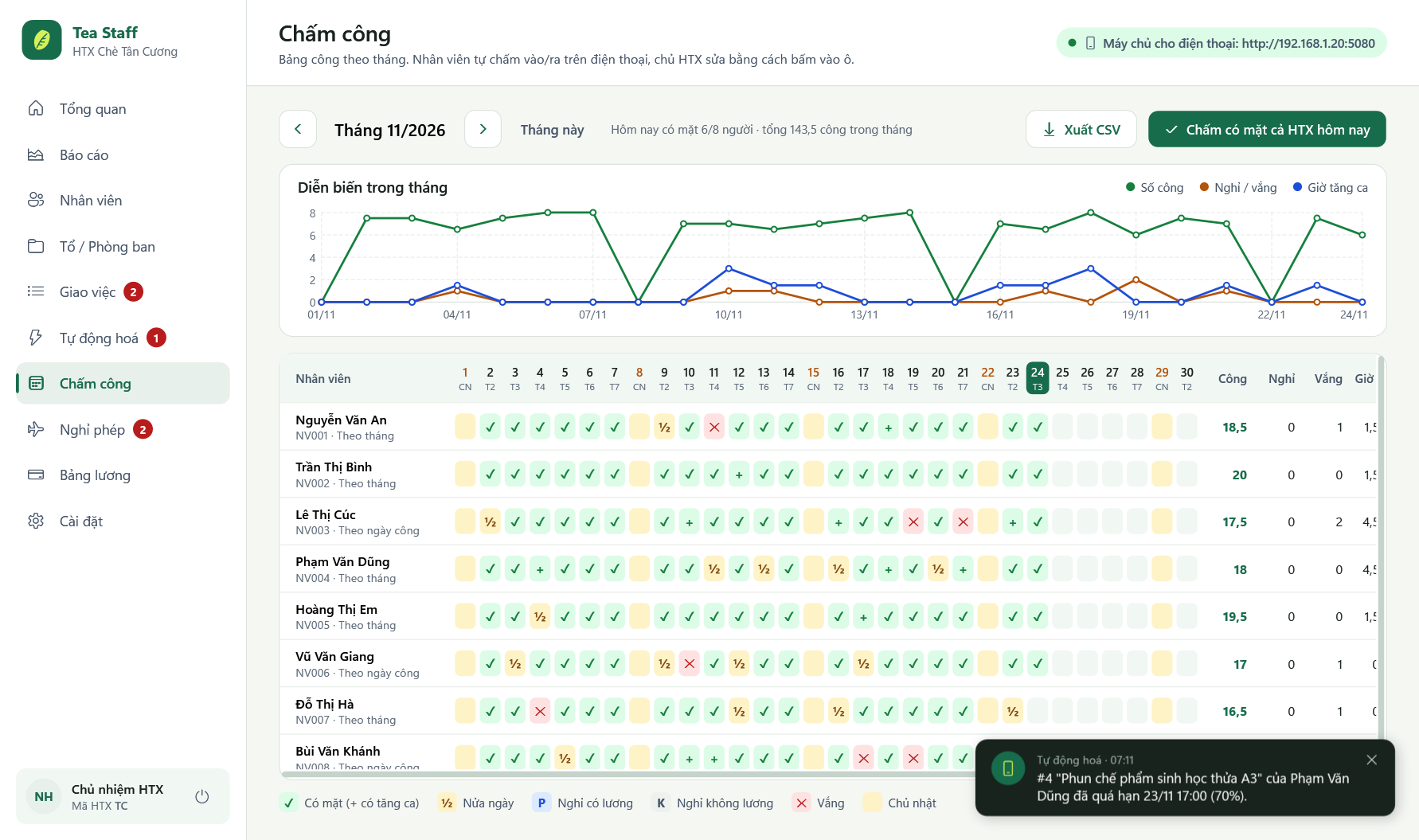
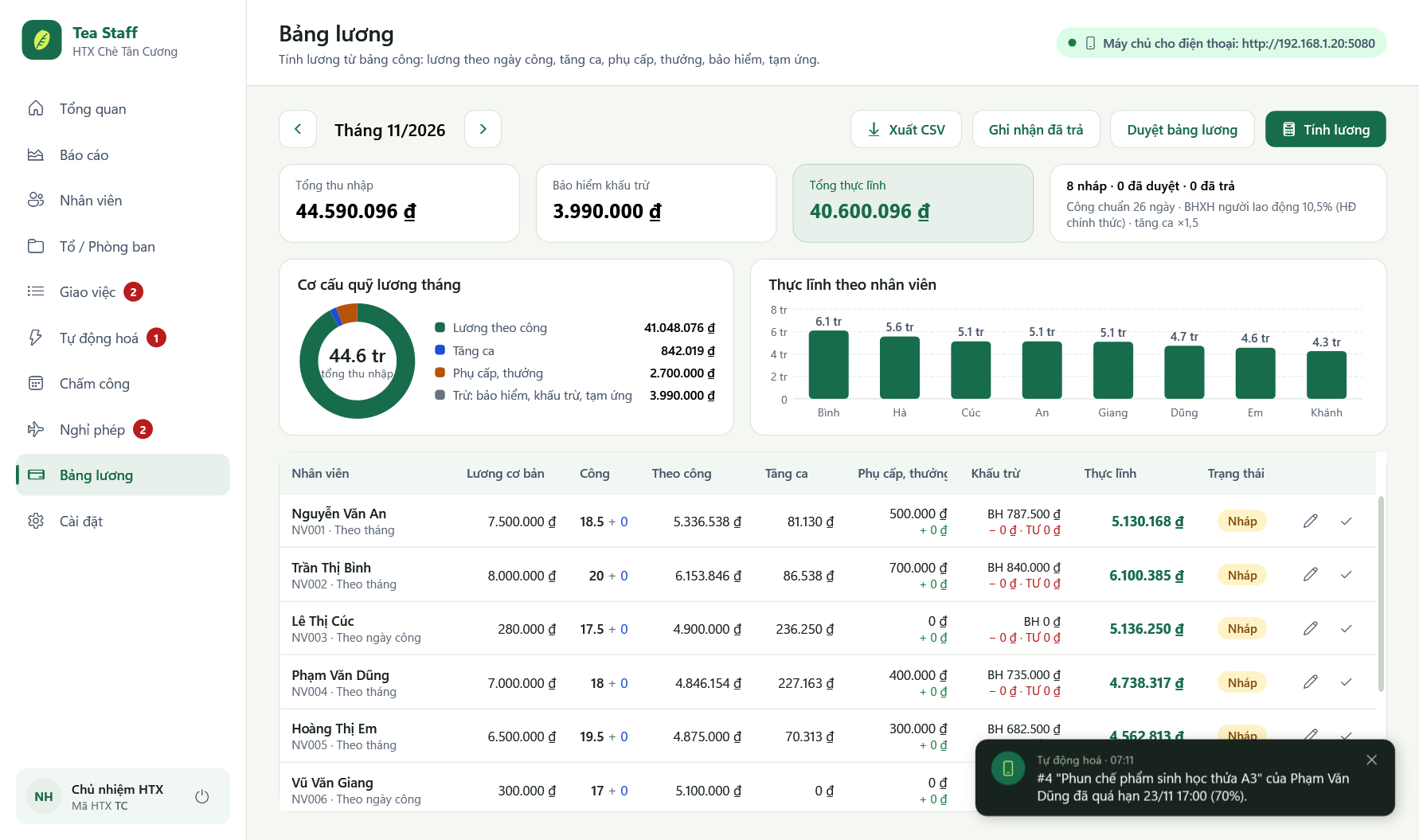
| Charts per module | Employees: staff by team and contract type, base salary fund. Attendance: daily work days, absences and overtime in the month. Leave: approved days by type and per month, share of sick leave with evidence. Payroll: composition of gross pay and net pay per employee. |
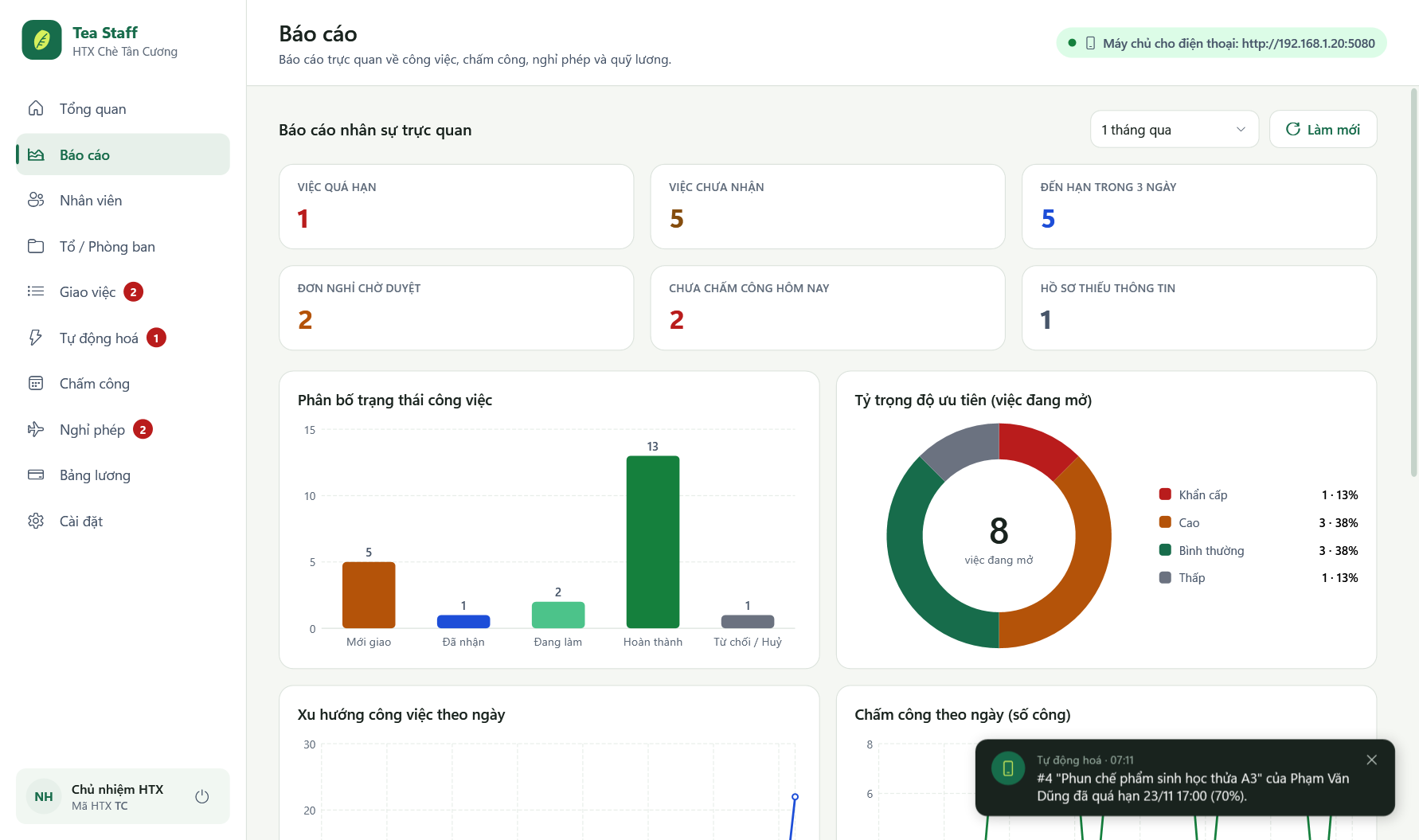
| Reports | KPI tiles (overdue, not yet accepted, due in 3 days, pending leave, not checked in today, incomplete profiles) and charts drawn natively in WPF: task status bars, priority donut, daily task and attendance trends, six-month payroll fund and completed work per team, plus lists of what needs the owner. Period: 7, 30 or 90 days. |
| Core sync | Optional. Pulls the tasks a manager approved in OpenTea DX-OS (suggested by the AI assistant) every minute, creates them with a Từ trợ lý AI marker, and reports back the roster and today's attendance. See docs/core-integration.md. |
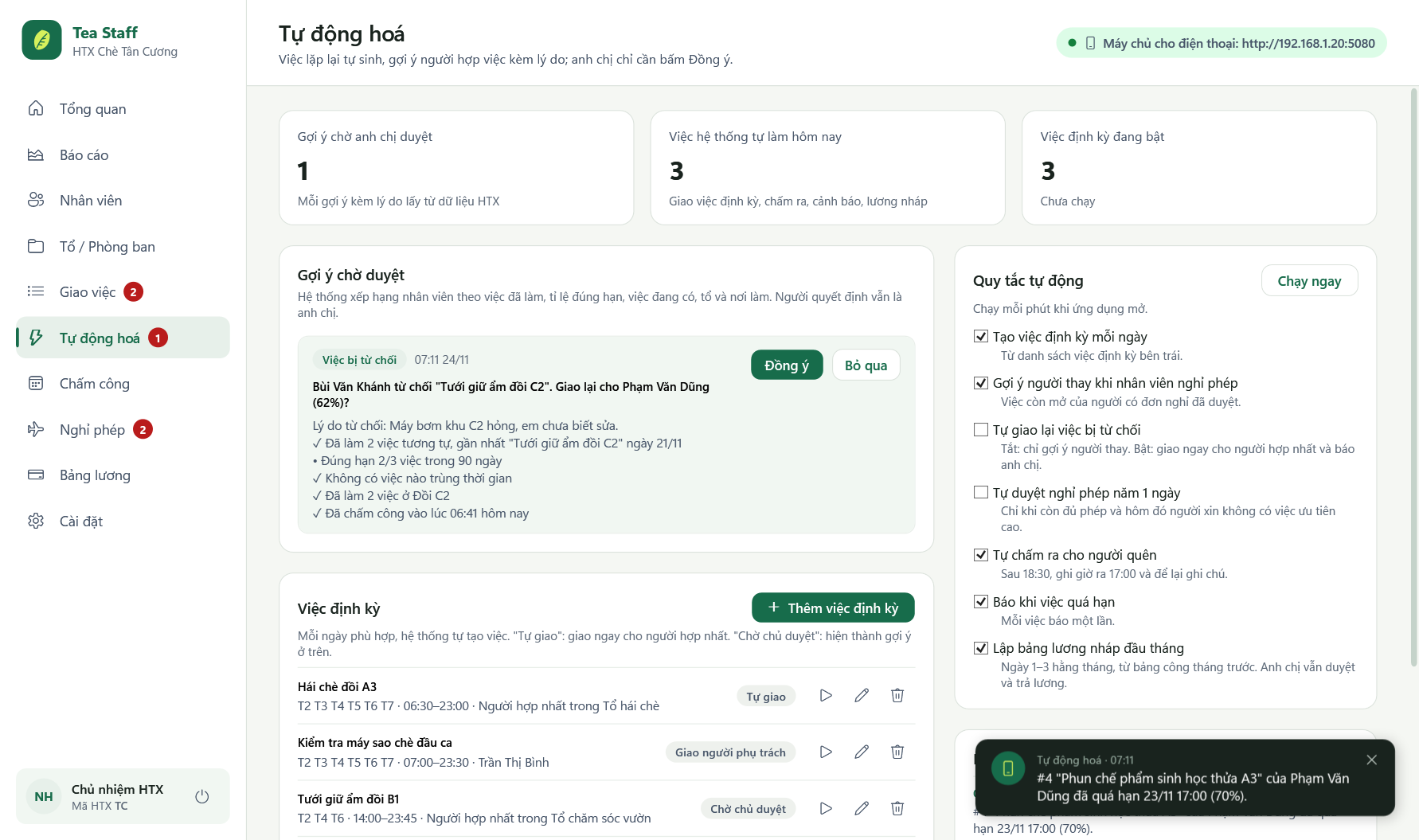
| Automation and AI suggestions | An Automation page runs the cooperative's routine every minute: recurring work (picking rounds, machine checks, watering) becomes the day's tasks; rejected tasks and tasks of staff on approved leave get a replacement; forgotten check-outs are closed at 17:00; overdue work is flagged once; draft payslips are prepared on the first days of the month; one-day annual leave can be approved by rule. An explainable ranking scores who fits a task from the cooperative's own history (similar work done, on-time rate, overlapping work, team, place, past rejections, leave, today's attendance) and shows those facts. Following the DX-OS AI rule, changes of who does what are either rules the owner switched on or one-click suggestions. |
| Field sensors | Alerts from Tea IoT Station (dry soil, frost, heat) arrive on POST /api/iot/alerts and become task suggestions with the sensor evidence and the best-placed worker. |
| Live activity | When staff accept, reject or finish a task, check in or send a leave request from the phone, the owner sees a toast, hears the system sound, the taskbar flashes and red counters appear on Giao việc and Nghỉ phép. |
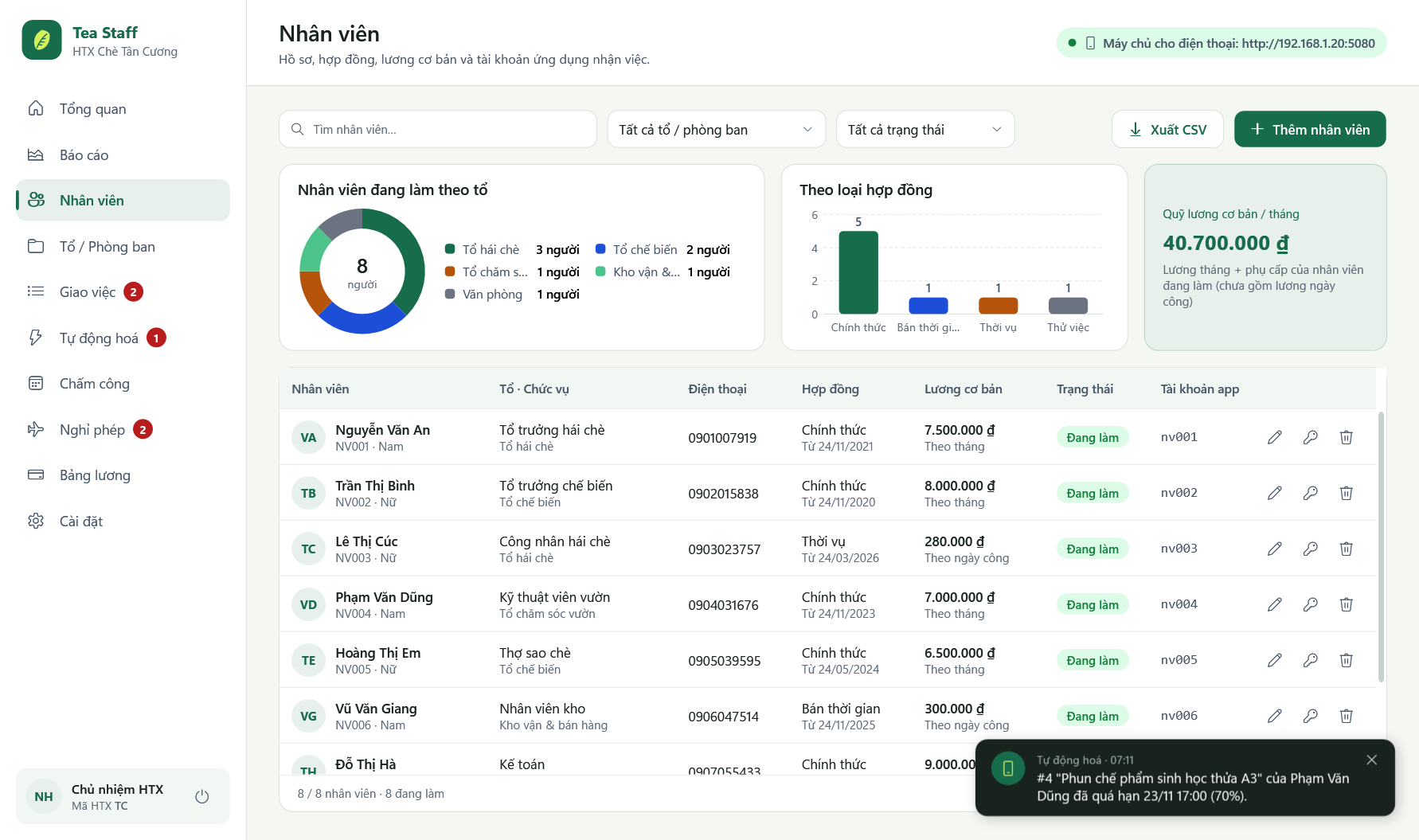
| Employees | Full HR profile: personal data, team, position, contract type, monthly or daily wage, allowance, bank account, annual leave quota, status. Accent-insensitive search (nguyen finds Nguyễn), filters, CSV export, mobile account and password reset. |
| Teams / departments | Group staff into production teams (picking, processing, garden care, warehouse, office). |
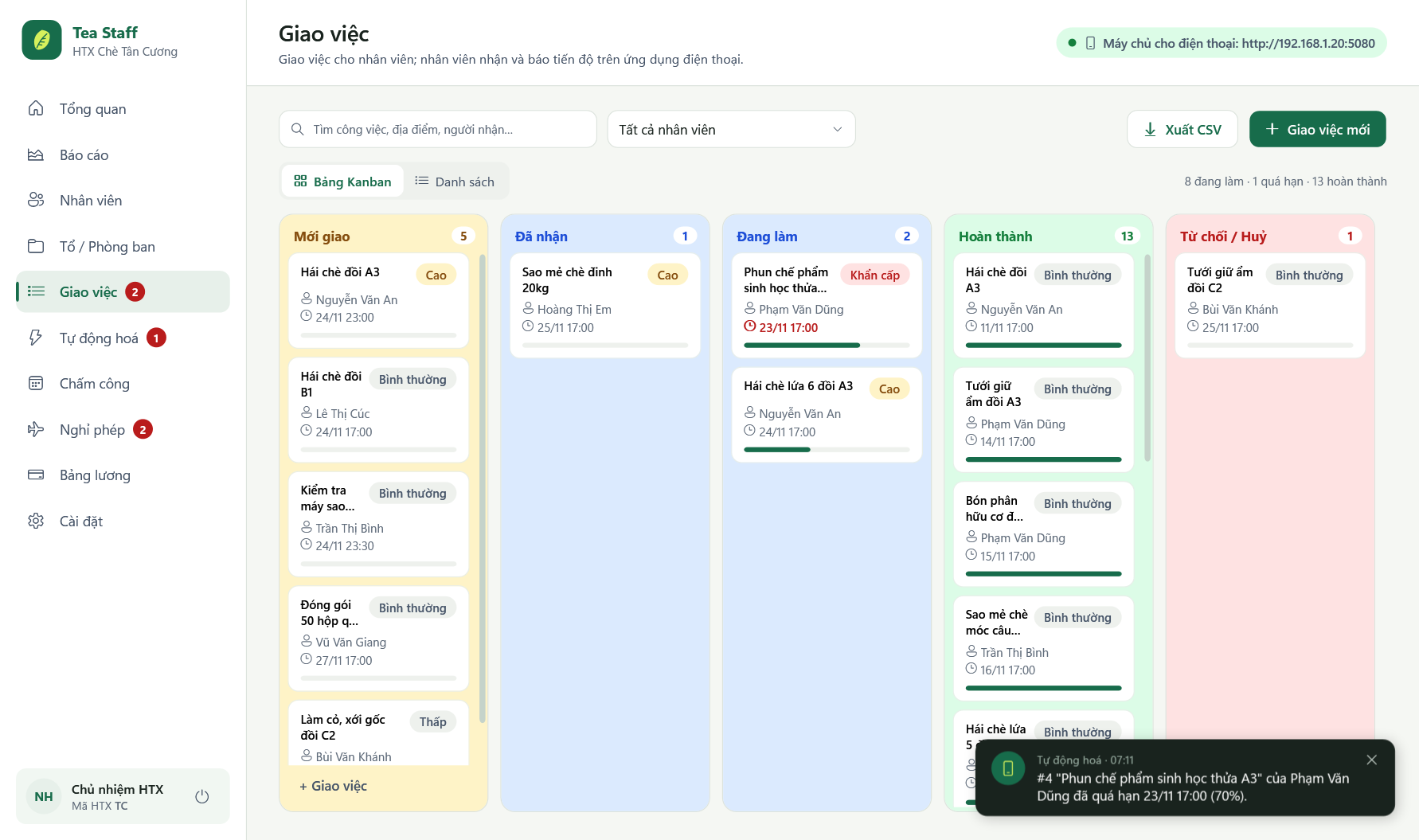
| Task assignment | Kanban board (Mới giao, Đã nhận, Đang làm, Hoàn thành, Từ chối/Huỷ) or list view. Assign work with location, priority, start and due time; Gợi ý ranks who fits the task and why. Staff accept, reject (with a reason), report progress and complete from their phone; the list refreshes live. Duplicate, reassign, cancel, export. |
| Attendance | Monthly timesheet grid. Staff check in/out on the phone (half day and overtime are computed automatically); the owner edits any cell, marks the whole cooperative present in one click, and exports CSV. |
| Leave | Annual, sick, personal and unpaid leave with balance checking and evidence (photo or PDF, up to 5 MB; required for sick leave of 2 days or more). Files are recognised by content, stored under the data folder and opened from the review list. Approving a request writes the days into the timesheet. |
| Payroll | Generates payslips from the timesheet: prorated monthly salary or daily wage, overtime (×1.5 by default), allowance, bonus, compulsory insurance (10.5% for full-time contracts), other deductions and advances. Draft → Approved → Paid workflow; approved payslips appear on the worker's phone. CSV export for bank transfer. |
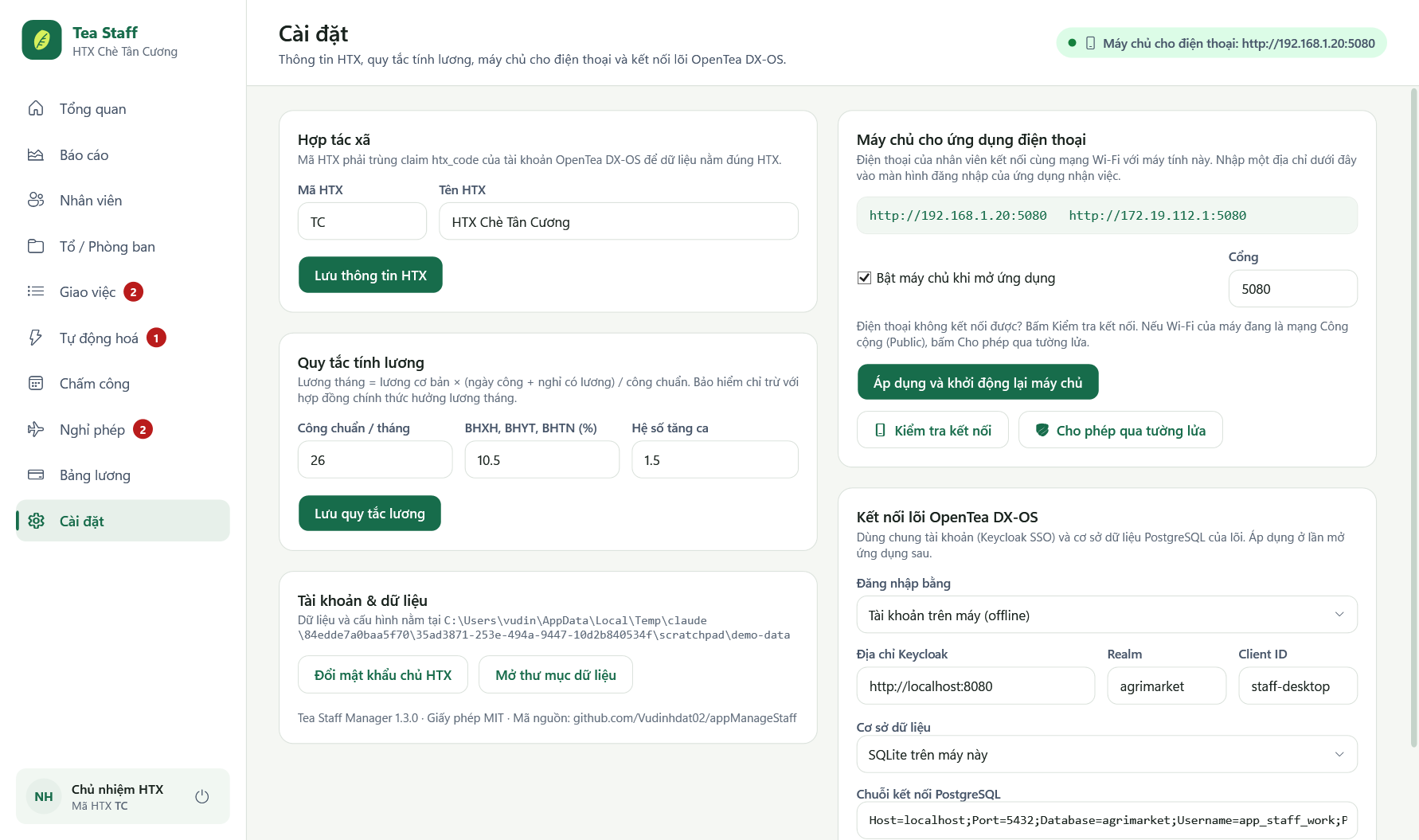
| Settings | Cooperative code and name, payroll rules, the built-in server for phones with a connection self-test and a one-click firewall rule, and the connection to the DX-OS core (Keycloak + PostgreSQL) with a connection check. |
More screenshots
| | | | --- | --- | |  |  | |  |  | |  |  | |  |  | |  | |Download#
Grab the latest build from Releases:
TeaStaffManager-1.3.0-win-x64.exe— self-contained, single file, no .NET installation needed (Windows 10/11 x64).
On first launch the app creates a demo cooperative (HTX code TC) with eight fictitious employees, a month of attendance, tasks and leave requests.
| Account | Password | Where |
|---|---|---|
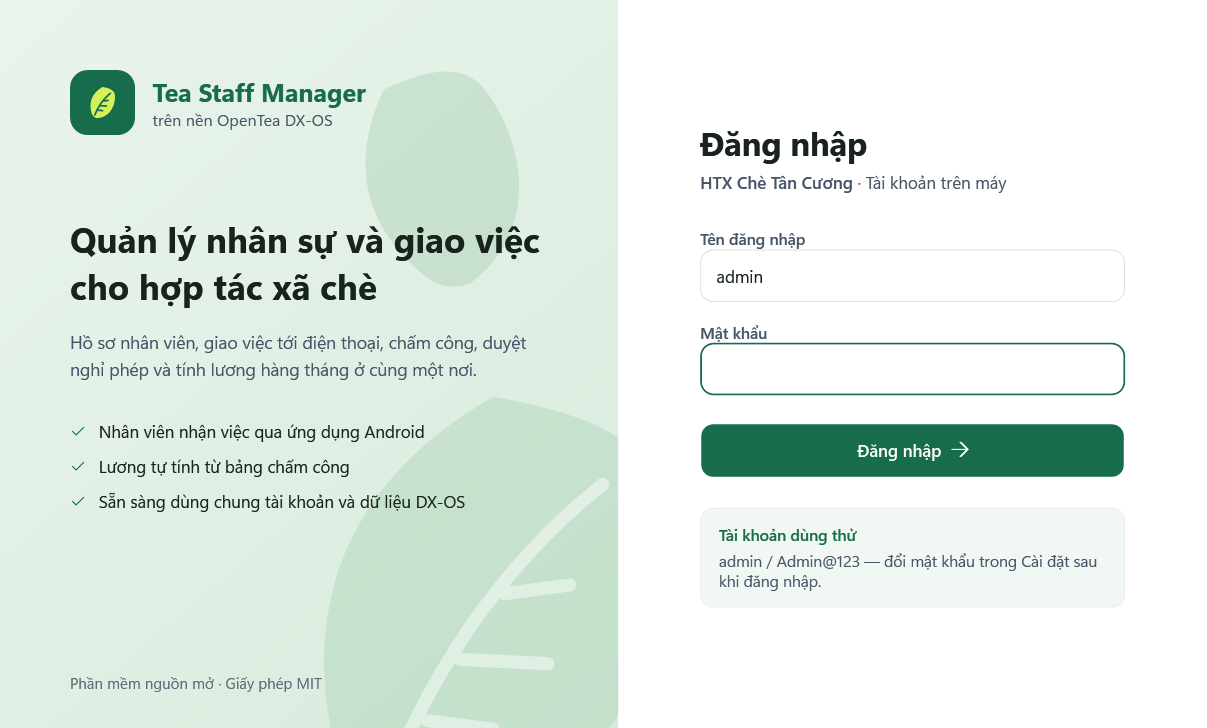
admin |
Admin@123 |
Owner login on the desktop app (change it in Settings) |
nv001 … nv008 |
123456 |
Staff login on the Tea Work Android app (or the staff member's OpenTea DX-OS account, see below) |
Data and configuration live in %LOCALAPPDATA%\TeaStaff (teastaff.db, config.json, attachments\); set the TEASTAFF_DATA environment variable to use another folder. Delete the folder to start over. Databases created by 1.0.0 are upgraded automatically.
Connect the phones#
- Keep the PC and the phones on the same Wi-Fi network.
- The address to type into the phone is shown at the top right of the window, e.g.
http://192.168.1.88:5080. - If the phone cannot connect, open Settings → Kiểm tra kết nối. On a Wi-Fi marked Public, Windows blocks incoming connections: press Cho phép qua tường lửa (Windows asks for administrator approval). Also make sure the phone is on Wi-Fi, not mobile data, and that the router does not isolate clients.
- A yellow banner on the phone means it is in offline demo mode; nothing is sent to the PC until you sign out and enter the server address.
Build from source#
Requirements: Windows 10/11, .NET SDK 10. No other tools are needed; NuGet restores everything.
git clone https://github.com/Vudinhdat02/appManageStaff.git
cd appManageStaff
dotnet build AppManageStaff.sln
dotnet test AppManageStaff.sln
dotnet run --project src/TeaStaff.Desktop
Publish the single-file executable:
dotnet publish src/TeaStaff.Desktop -c Release -r win-x64 --self-contained -p:PublishSingleFile=true -p:IncludeNativeLibrariesForSelfExtract=true -o publish
Command-line options#
| Option | Purpose |
|---|---|
--serve |
Headless mode: only the staff API runs (for an always-on office PC). |
--screenshots <dir> |
Renders every screen to PNG with the demo data (used for this README and visual checks). |
--postgres-script <file> |
Writes the PostgreSQL DDL of the app_staff_work schema (see database/postgres/001_init.sql). |
Architecture#
src/
  TeaStaff.Core            Domain entities, business rules, ports (no framework dependencies)
  TeaStaff.Infrastructure  EF Core adapters (SQLite / PostgreSQL), identity (local / Keycloak), staff REST API
  TeaStaff.Desktop         WPF views + view models (CommunityToolkit.Mvvm), theme, dialogs
tests/
  TeaStaff.Core.Tests      xUnit tests for payroll and the task state machine
- MVVM — every screen is a
PageViewModel; forms areEditorViewModels hosted in one generic dialog; views are resolved byDataTemplate, so code-behind holds no logic. - Ports and adapters — the core depends only on repository and identity interfaces (
IEmployeeRepository,IIdentityProvider, …). Swapping SQLite for the DX-OS PostgreSQL schema or the local login for Keycloak is a configuration change. - Multi-tenant by design — every table carries
htx_codeand every query is filtered by the signed-in cooperative, the same rule the DX-OS core enforces for mini-apps. - Live sync — changes coming from phones raise an
IDataChangeNotifierevent and the visible screen reloads itself. - Design — colours, radii and typography follow the core's
DESIGN.md: tea green#176c4b, white cards on a soft green background, one amber accent.
More detail: docs/architecture.md · staff API contract: docs/mobile-api.md.
Integration with OpenTea DX-OS#
| DX-OS concept | How this app follows it |
|---|---|
Single account (Keycloak SSO, realm agrimarket) |
KeycloakIdentityProvider signs the owner in with the shared account and reads htx_code, name and realm_access.roles (role manager required). Staff can sign in to Tea Work with their DX-OS account too: the staff API checks it against Keycloak and links it to the employee profile. |
| Shared PostgreSQL, one schema per app | Provider Postgres maps the same model onto schema app_staff_work; DDL in database/postgres. |
htx_code on every table, tenant isolation |
Enforced by EF Core global query filters. |
| Design tokens | Same palette and spacing as DESIGN.md. |
| AI invariant (facts, never decisions) | Rankings list their facts; anything that changes who does what is an owner-enabled rule or a suggestion awaiting one click. |
Sensor data (MQTT, telemetry) |
Field alerts from Tea IoT Station, which publishes to the core broker, turn into task suggestions. |
Step-by-step guide (Keycloak client, database role, switching the app over): docs/core-integration.md.
Companion mobile app#
Tea Work (Kotlin, Jetpack Compose, MVVM) — staff receive tasks, report progress, check in/out, request leave and read their payslips.
Documentation#
- CHANGELOG.md — release history
- DEPENDENCIES.md — third-party libraries and licences
- CONTRIBUTING.md — how to report bugs and send changes
- Issue tracker
License#
MIT © 2026 Vu Dinh Dat. Every source file carries an SPDX licence header.